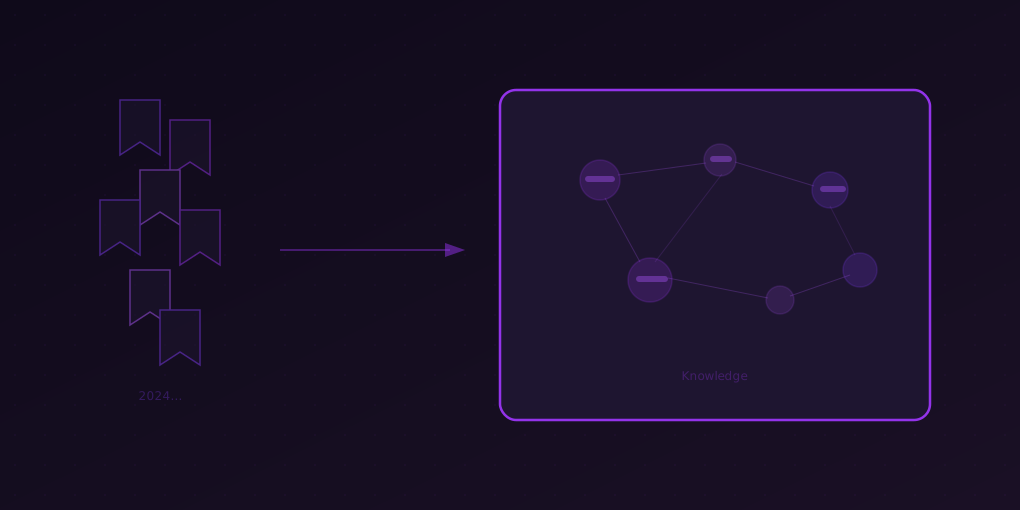
From Bookmarks to Knowledge: Stop Hoarding, Start Reading
Why your bookmark folder is a graveyard of good intentions, and how AI summarization turns digital hoarding into a functional knowledge system.
Open your browser’s bookmark manager right now. How many bookmarks do you have? If you are like the average internet user, the answer is somewhere between 200 and 500. If you are a knowledge worker, it might be over 1,000.
Now ask yourself: when was the last time you actually opened one?
Bookmarks are the digital equivalent of buying books you never read. The act of saving feels productive — you found something valuable and preserved it. But saving is not reading, and reading is not understanding. Most bookmarks sit untouched in folders with names like “To Read,” “Interesting,” or the classic “Misc,” slowly accumulating until the folder itself becomes overwhelming.
A 2024 Chrome usage study found that the average bookmark is never accessed after the day it was saved. Not once. The folder grows, the guilt grows, and the knowledge remains locked inside links you will never click again.
It is time for a different approach.
Why We Hoard Bookmarks
Bookmark hoarding is driven by three psychological forces:
The Collector’s Instinct
Saving a bookmark triggers a small dopamine hit — you discovered something valuable. Your brain treats the save as a micro-accomplishment, even though no learning occurred. Over time, this creates a habit loop: find interesting content → save → feel productive → repeat. The collection grows, but your knowledge does not.
Fear of Missing Out (FOMO)
What if you need this article later? What if this is the perfect reference for that project next quarter? The fear of losing access to potentially useful information drives compulsive saving. The irony: you rarely search your bookmarks when you actually need something. You Google it again.
No Processing System
The real problem is not that you save too much — it is that you have no workflow for converting saved links into retained knowledge. Without a system, every bookmark is an unfulfilled promise. The list grows because items only enter, never exit.
The Bookmark Audit
Before building a new system, face the current reality. Set aside 15 minutes and do a bookmark audit:
Step 1: Count the Damage
Open your bookmark manager. Count your total bookmarks. Note the oldest one. Most people discover bookmarks from 3-5 years ago that they have zero memory of saving.
Step 2: The Folder Autopsy
Look at your folder structure. Common patterns:
- “To Read” folder — The graveyard. Everything goes in, nothing comes out.
- “Work” folder — A mix of documentation links, articles, and references with no organizing principle.
- “Reference” folder — Supposedly for things you will need again. When did you last reference it?
- Unfiled bookmarks — The bookmark bar overflow. No folder, no tag, just a URL.
Step 3: Be Honest
Ask yourself: if your bookmarks disappeared tomorrow, would you notice? If the answer is “probably not,” that tells you everything about the current system’s value.
The AI-Powered Bookmark System
Here is a system that actually converts bookmarks into knowledge. The key insight: process bookmarks at the moment of saving, not “later.”
The New Rule: Summarize Before You Save
When you find an article worth keeping, do not just bookmark it. Instead:
- Click the 5MinRead icon and generate a summary
- Read the summary (20-30 seconds)
- Decide:
- Valuable? Copy the summary to your notes system with the URL. Then bookmark it (or do not — your notes now have the knowledge).
- Not as useful as the headline suggested? Close the tab. Do not bookmark it.
- Needs a full read? Bookmark it in a “This Week” folder with a hard deadline to process it.
The difference: every bookmarked item has been at least partially processed. You know what it says. Your notes contain the key points. The bookmark becomes a source link, not an unread obligation.
The Weekly Purge
Once a week, spend 10 minutes on your “This Week” folder:
- Summarize anything you added this week that you have not processed yet
- Deep-read the 1-2 articles that the summaries reveal as genuinely important
- Move processed bookmarks to a “Processed” archive folder
- Delete anything in “This Week” that is more than 2 weeks old — if you have not processed it in two weeks, you never will
The Knowledge Database
Instead of organizing bookmarks by vague categories, build a simple knowledge database in your notes app:
For each processed article, save:
- Title and URL
- AI-generated summary (copy from 5MinRead)
- Your one-sentence annotation: why this matters to you
- 2-3 tags for searchability
This takes 60 seconds per article. Over time, you build a searchable personal knowledge base that is infinitely more useful than a folder of unread links.
Practical Examples
The Developer’s Knowledge Base
A developer bookmarks articles about new frameworks, patterns, and tools. Instead of 200 unread links:
- Monday: Finds an article about a new React pattern. Summarizes it. Key takeaway: “Useful for forms, not for data fetching.” Tags: #react #patterns. Time: 45 seconds.
- Wednesday: Colleague shares a Kubernetes article. Summarizes it. Takeaway: “New autoscaling approach, relevant to our Q3 migration.” Tags: #k8s #scaling. Time: 45 seconds.
- Friday: Weekly purge of “This Week” folder. 3 items, 2 already processed, 1 deleted. Time: 2 minutes.
Monthly result: 15-20 processed articles with searchable notes vs. 15-20 untouched bookmarks.
The Researcher’s Reference Library
A researcher bookmarks papers and articles for current and future projects:
- Each paper gets summarized with the “Academic” preset
- Summary includes methodology, key findings, and limitations
- Annotation notes relevance to specific research questions
- Tags map to active projects
When writing a literature review, the researcher searches their knowledge base by tag — every result has a summary ready to reference. No re-reading required.
The Manager’s Decision Archive
A manager bookmarks articles about management practices, industry trends, and competitor moves:
- Processed with “Takeaways” preset for actionable content
- Annotations note which direct reports or projects each article relates to
- Competitive intelligence tagged by competitor name
When preparing for a strategy meeting, a quick search by competitor tag surfaces months of processed intelligence with personal annotations.
Dealing with the Existing Backlog
You have hundreds of old bookmarks. Here is how to handle them without spending a weekend:
Option 1: Declare Bankruptcy
Delete everything older than 6 months. If you have not needed it in 6 months, you will not need it. This feels extreme but is almost always the right choice. You can always Google something again if it turns out you need it.
Option 2: Gradual Processing
Set a daily goal: process 5 old bookmarks per day using AI summarization. Keep the valuable ones as knowledge base entries, delete the rest. At 2 minutes per bookmark, that is 10 minutes daily. A backlog of 200 bookmarks clears in 40 days.
Option 3: Topic-Based Triage
Group your old bookmarks by topic. Pick the topic most relevant to your current work. Process those bookmarks first using Research Mode — add them all to a project and generate a synthesis. Delete the rest.
Measuring Progress
Track two numbers:
- Bookmark inbox count — How many unprocessed bookmarks do you have? This should trend toward zero.
- Knowledge base entries — How many processed, annotated entries are in your notes? This should grow steadily.
When the first number is consistently low and the second number is growing, you have a functioning knowledge system instead of a digital hoard.
Start Now
Pick 5 bookmarks you saved this month. For each one:
- Open the link
- Summarize with 5MinRead
- Read the summary
- If valuable: copy summary + your annotation to notes, keep the bookmark
- If not valuable: delete the bookmark
Five bookmarks, five minutes. That is all it takes to start converting hoarded links into actual knowledge.
Bookmarks are not knowledge. They are intentions. AI summarization is the bridge between saving something and actually learning from it.