Tame Your Newsletter Inbox: An AI-Powered Workflow
How to process 20+ email newsletters per week in minutes instead of hours using AI summarization, without missing the insights that matter.
You subscribed with the best intentions. That fintech newsletter your colleague recommended. The weekly AI roundup. The industry digest. The one about productivity that your favorite podcast host writes. One by one, each subscription seemed like a smart investment in staying informed.
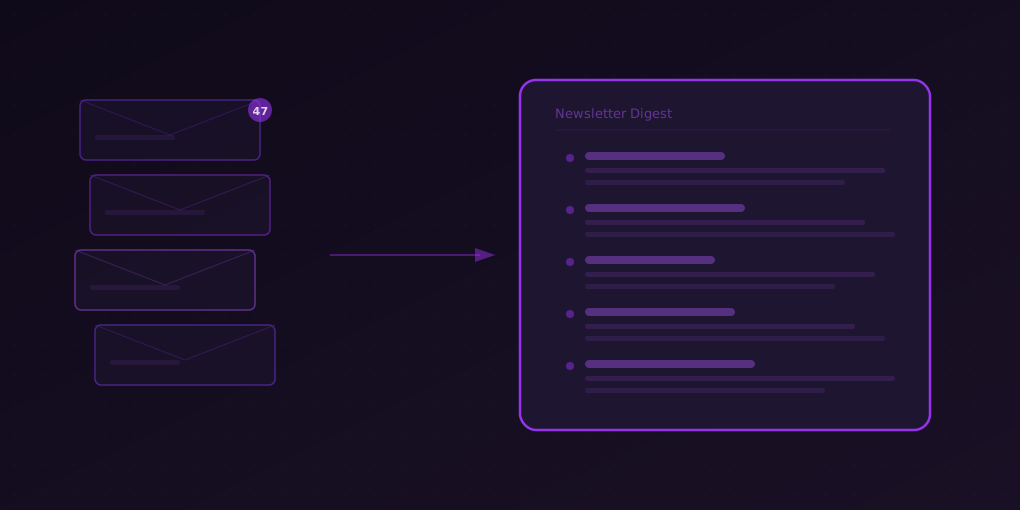
Now your inbox has 47 unread newsletters, and the number grows by 3-4 every day.
The newsletter explosion is real. Substack alone has over 35 million active subscriptions as of 2025, and the average professional is subscribed to 13 newsletters according to a Litmus email survey. Each newsletter ranges from 1,000 to 5,000 words. If you read every newsletter you are subscribed to, you would need 2-4 hours per week of dedicated reading time.
Nobody has that. So newsletters pile up, you feel behind, and eventually you either mass-delete them (losing valuable content) or let inbox guilt become background noise.
There is a better way.
Why Newsletters Are Uniquely Hard to Manage
Newsletters have specific properties that make them harder to process than regular web articles:
They Arrive on Someone Else’s Schedule
You do not choose when to encounter a newsletter. It appears in your inbox regardless of whether you have time to read it. Articles you find yourself are discovered when you are already in reading mode. Newsletters interrupt other work.
They Mix Signal and Noise
Most newsletters contain 2-3 genuinely valuable insights buried inside 2,000 words of context, anecdotes, and filler. The signal-to-noise ratio varies by issue. You cannot know in advance whether this week’s edition is essential or skippable without reading it.
They Create Social Pressure
When a colleague says “Did you see Ben Thompson’s piece this week?” you feel pressure to have read it. Newsletters become social currency in professional circles, which makes unsubscribing feel like opting out of conversations.
They Do Not Age Well
Unlike a reference article you can revisit anytime, newsletters are time-sensitive. Last week’s market analysis is stale. The startup funding news from two weeks ago is old. If you do not process a newsletter within 3-5 days, most of its value has decayed.
The Newsletter Processing Workflow
This system turns newsletter overwhelm into a 15-minute weekly routine.
Step 1: Open in Browser (One-Time Setup)
Most email clients have a “View in browser” link at the top of each newsletter. Click it to open the newsletter as a web page. This is important because 5MinRead works on web pages, not inside email clients.
Faster method: Many newsletters have web archive pages. Set up bookmarks to these pages instead of reading from email:
- Substack authors:
authorname.substack.com/archive - Most newsletters: Check the footer for “View archive” or “Read online” links
With web archive pages, you bypass your inbox entirely and read newsletters as web content.
Step 2: The 15-Minute Weekly Session
Set a recurring 15-minute block (Friday morning works well — it becomes your “newsletter review” before the weekend).
The routine:
- Open your accumulated newsletters (or their web versions) — usually 5-10 per week after you filter out promotional ones
- For each newsletter:
- Click 5MinRead → “TL;DR + So What?” preset
- Read the summary (15-20 seconds)
- Decide: Essential (deep read now), Useful (save summary), or Skip (archive/delete)
- Deep-read the 1-2 newsletters that earned it
- Archive everything else
Typical results: Of 8 newsletters, 1-2 get deep reads, 3-4 get their summaries saved, and 2-3 get skipped entirely. Total time: 12-15 minutes instead of 2+ hours.
Step 3: Extract and Archive
For newsletters you want to keep, do not leave them in your inbox:
- Copy the AI summary (use Rich Text Copy for formatting)
- Paste into your notes system with the date and source
- Add a one-line annotation: what was the key takeaway for you
- Archive the email
Your inbox goes to zero. Your knowledge base grows. The newsletter has been processed.
Preset Selection for Different Newsletter Types
Different newsletters benefit from different summary approaches:
| Newsletter Type | Best Preset | Why |
|---|---|---|
| News roundups | TL;DR + So What? | Extract key stories, skip filler |
| Analysis/opinion | Critical Review | Get balanced perspective |
| Technical deep dives | Detailed | Preserve structure and nuance |
| Curated link lists | Takeaways | Extract the recommended links and why they matter |
| Industry reports | Cheat Sheet | Key data points in scannable format |
| Personal essays | Quick Summary | Get the core argument quickly |
The Newsletter Audit
Before optimizing your processing workflow, optimize what you are subscribed to. Do this quarterly:
The Three-Question Test
For each newsletter, ask:
- Do I read it within 3 days of arrival? If no for 3+ consecutive issues, unsubscribe.
- Can I recall something valuable from the last issue I read? If no, the content is not sticking. Either change your processing approach or unsubscribe.
- Would I notice if it stopped coming? If no, unsubscribe immediately.
Most people discover they can cut their subscriptions by 40-50% without losing any information they actually use.
The Replacement Test
For every newsletter you keep, ask: could a different source cover this better? Sometimes you are subscribed to 3 newsletters that cover the same topic. Keep the best one, drop the others.
Target: 5-8 newsletters that consistently deliver value. That is a manageable number — roughly one per day.
Advanced: The Newsletter Knowledge Base
For professionals who use newsletters as a core information source, build a structured system:
Weekly Newsletter Notes
Create a weekly document with this template:
## Newsletter Notes — Week of [Date]

### Key Insights
- [Most important thing you learned this week, source]
- [Second most important, source]
- [Third, source]

### Trends to Watch
- [Pattern you noticed across multiple newsletters]

### Action Items
- [ ] [Anything that requires follow-up]

### Saved Summaries
[Paste AI summaries of the most valuable newsletters]
Monthly Review
At the end of each month, scan your four weekly notes and write three sentences:
- What was the dominant theme this month?
- What surprised you?
- What should you do differently based on what you learned?
This creates an executive summary of your newsletter consumption — a personal intelligence brief that is far more useful than 40 emails sitting unread in your inbox.
Handling Newsletter FOMO
The hardest part of this system is accepting that you will not read everything. Here is how to reframe:
You Were Already Not Reading Everything
Before this system, newsletters piled up unread. You were already missing content — you just felt bad about it. This system makes the decision explicit and intentional instead of passive and guilt-inducing.
Summaries Are Better Than Nothing
A newsletter you summarize and save is infinitely more valuable than a newsletter you ignore in your inbox. Even if you never deep-read 80% of your newsletters, you have captured the key points. That is not a compromise — it is a massive upgrade from the status quo.
The Best Insights Find You
Truly important newsletter content gets amplified. If Ben Thompson writes something paradigm-shifting, you will hear about it from colleagues, Twitter, or other newsletters before your weekly processing session. Urgent information does not wait for you to open your email.
Start This Week
Here is your minimum viable newsletter workflow:
- Pick the 5 newsletters currently sitting unread in your inbox
- Open each one in your browser (use “View in browser” link)
- Summarize each with 5MinRead (“TL;DR + So What?” preset)
- Read only the one summary that seems most valuable in full
- Delete or archive the rest
Time required: about 8 minutes. Newsletters processed: 5. Guilt reduced: immeasurable.
Your inbox should be a communication tool, not a reading list. AI summarization lets you extract newsletter value in minutes, so your inbox goes back to doing what it was designed for.