Research Mode: Turn Scattered Articles into Real Knowledge
How to use 5MinRead Research Mode to collect sources, synthesize perspectives, find contradictions, and build genuine understanding of complex topics.
You are researching a topic — maybe for a report, a presentation, or a major decision. You find one great article. Then another. Then five more. You open them all in separate tabs, read fragments of each, try to remember which article said what, and eventually give up trying to form a coherent picture. Two hours later, you have a vague sense of the topic but nothing you could confidently explain to someone else.
This is the research trap: reading more does not automatically create understanding. Understanding requires synthesis — connecting ideas across sources, identifying where experts agree and disagree, and building a mental model that is greater than the sum of its parts.
That is exactly what Research Mode was built for.
What Research Mode Does
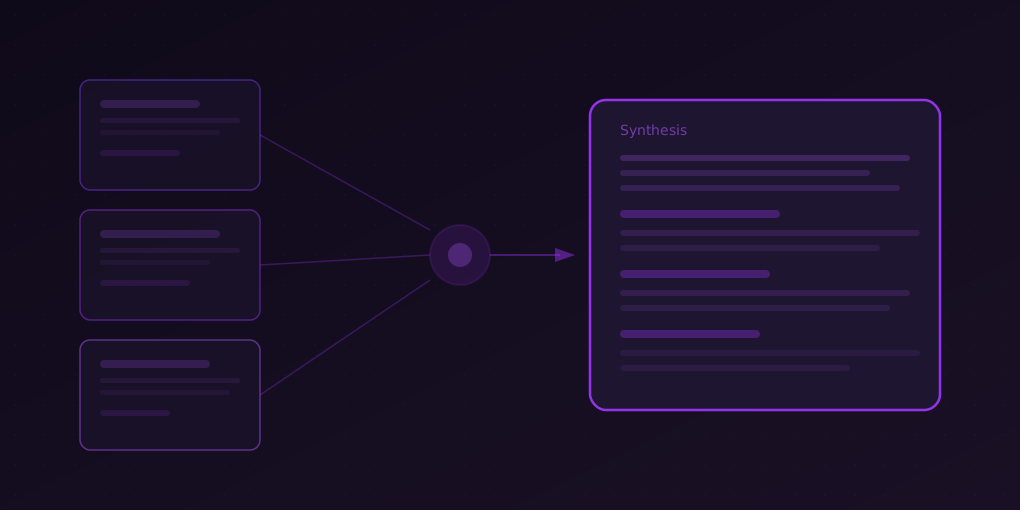
Research Mode is a feature in 5MinRead that turns your browser into a structured research environment. Instead of reading articles in isolation, you collect them into a project, and the AI helps you do what takes researchers hours: synthesize, compare, and analyze across all your sources simultaneously.
Here is what that looks like in practice:
1. Create a Project
Start a research project with a topic name. This is your container — everything related to the topic goes here.
Good project names are specific:
- “Impact of remote work on team productivity” (not “Remote work”)
- “Comparison of React vs Vue for enterprise apps” (not “Frontend frameworks”)
- “Q3 competitive landscape — fintech” (not “Competitors”)
Specificity helps the AI generate better synthesis because it understands the lens through which you are analyzing the sources.
2. Add Sources
As you browse the web, add relevant articles to your project with one click. Each source is automatically summarized, so you do not need to read every article in full before adding it. You can add:
- News articles and blog posts
- Academic papers and research reports
- Product pages and documentation
- PDF documents opened in your browser
- YouTube video transcripts
Aim for 3-8 sources per project. Fewer than 3 limits the AI’s ability to find patterns. More than 8 starts to dilute focus — if you have that many sources, consider splitting into sub-projects.
3. Generate a Synthesis
This is the core power of Research Mode. Hit “Synthesize” and the AI reads all your sources together, then produces a unified analysis that:
- Identifies common themes across sources
- Highlights where sources agree — the consensus view
- Flags contradictions — where sources disagree or present conflicting data
- Extracts key evidence — specific data points, quotes, and findings
- Draws connections the individual articles do not make explicitly
A synthesis is not just a summary of summaries. It is an analytical document that maps the landscape of your topic.
4. Explore with Chat
After synthesis, you can ask follow-up questions in the Research Chat. The AI answers using your collected sources as context, so its responses are grounded in the specific articles you chose — not generic internet knowledge.
Powerful questions to ask:
- “Which source has the strongest evidence for X?”
- “What do Sources 2 and 5 disagree on, and why?”
- “Based on these sources, what is the most likely outcome of Y?”
- “Summarize the practical recommendations across all sources”
- “What important aspect is none of these sources addressing?”
Real-World Use Cases
The Product Decision
A product manager evaluating whether to add a feature collects:
- 2 competitor blog posts about their version of the feature
- 1 user research report from their own team
- 2 industry analysis articles about the feature category
- 1 technical feasibility assessment
Synthesis reveals: Competitors launched the feature but usage data (from one article) suggests low adoption. The internal research shows user demand, but contradicts the industry analysis about which user segment wants it. The PM now has a nuanced view in 15 minutes instead of a two-day research sprint.
The Investment Thesis
An analyst researching a company collects:
- The company’s latest earnings call transcript
- 3 analyst reports with different ratings
- 1 industry trend article
- The company’s competitor’s recent product announcement
Synthesis reveals: Two analysts are bullish on revenue growth but disagree on margin trajectory. The industry article supports the bull case. The competitor announcement introduces a risk none of the analysts addressed. The analyst now has a differentiated thesis — one that accounts for information the street has not fully processed.
The Academic Literature Review
A graduate student collecting papers on a topic adds:
- 5 recent papers from different research groups
- 1 foundational paper that all others cite
- 2 review articles
Synthesis reveals: The recent papers cluster into two methodological camps with fundamentally different assumptions. The review articles acknowledge this split but downplay it. The foundational paper actually supports the less popular camp. The student now has a thesis angle — arguing for re-examining the assumptions of the dominant approach.
Best Practices
Source Diversity Matters
The synthesis is only as good as the sources. If you add 5 articles that all say the same thing, you get a summary, not an analysis. Deliberately seek out:
- Different perspectives — bull and bear cases, proponents and critics
- Different source types — news, research, opinion, data
- Different time periods — how the narrative has evolved
Use Findings and Contradictions Separately
Research Mode can generate specific sub-analyses:
- Findings — A structured list of what the sources establish as fact
- Contradictions — A focused analysis of where sources disagree
Use Findings when you need to present established knowledge. Use Contradictions when you need to understand uncertainty or make a judgment call.
Build Projects Incrementally
You do not need all your sources before generating a synthesis. Start with 3 sources and generate a first synthesis. The gaps in the synthesis tell you what to look for next. Add 2-3 more targeted sources, then re-synthesize. This iterative approach produces more focused research than collecting everything upfront.
Write in Your Language
Research Mode supports 15+ languages. Set your preferred language in the extension settings, and all synthesis, findings, and chat responses will be generated in that language — regardless of what language your sources are written in. This means you can research a topic using English-language sources and get analysis in Japanese, or collect Russian news articles and synthesize them in Spanish.
When to Use Research Mode vs. Regular Summarization
Use regular summarization when:
- You have a single article you want to process quickly
- You need the key points of one document
- Speed is your priority
Use Research Mode when:
- You have multiple articles on the same topic
- You need to understand the full picture, not just one perspective
- You are making a decision that depends on comparing information
- You want to find contradictions or gaps in the available information
- You need a comprehensive analysis you can share with others
The dividing line is simple: one article = summary. Multiple articles = Research Mode.
Getting Started
If you have never used Research Mode, here is the fastest way to experience its value:
- Think of a topic you have been reading about recently
- Open 3 articles you have already read on that topic
- Create a Research Mode project
- Add all 3 articles as sources
- Hit “Synthesize”
The synthesis will show you connections between articles you read separately — patterns you missed because your brain processed them in isolation. That moment of “I did not notice these articles contradict each other” or “I see the bigger picture now” is the value of Research Mode in a single click.
Reading articles makes you informed. Synthesizing them makes you knowledgeable. Research Mode bridges that gap.