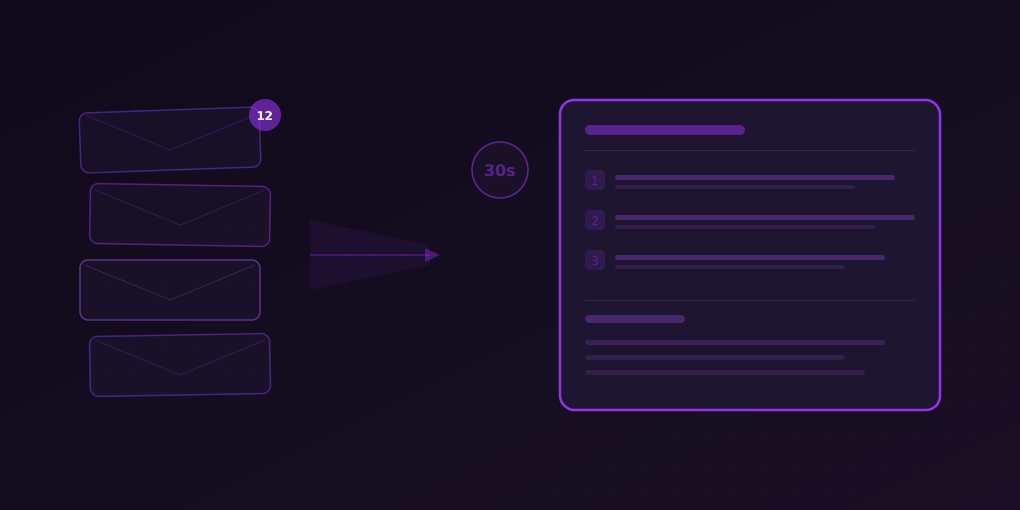
Summarize Any Newsletter in 30 Seconds: A Step-by-Step Guide
Learn how to process 10-15 newsletters in minutes instead of hours. A practical system for triaging, summarizing, and extracting value from every newsletter using AI.
You subscribe to newsletters with the best of intentions. Each one felt essential when you hit “Subscribe” — an industry roundup, a founder’s weekly thoughts, a curated link digest, a deep-dive analysis. Fast forward six months and your inbox has 47 unread newsletters, you feel vaguely guilty about all of them, and you actually read maybe two per week.
You are not alone. Research from the Newsletters Intelligence Report shows that the average knowledge worker subscribes to between 10 and 15 email newsletters. The completion rate — the percentage of newsletters a subscriber actually reads from top to bottom — hovers around 11 percent. That means roughly 89 percent of the newsletter content you signed up for is going to waste.
The problem is not that these newsletters lack value. The problem is that reading each one takes 8 to 15 minutes, and you simply do not have two hours every morning to work through your entire subscription list. So you cherry-pick, skip, and eventually stop opening them altogether.
There is a better way. With a structured approach and AI summarization, you can process every single newsletter in about 30 seconds each — and actually retain the information that matters.
The Real Cost of Newsletter Overload
Before diving into the solution, it helps to understand exactly what newsletter overload costs you.
Time Cost
Suppose you subscribe to 12 newsletters. Each arrives once or twice per week. That is roughly 70 to 80 newsletter emails per month. If each takes an average of 10 minutes to read properly, you are looking at 12 to 13 hours per month — just on newsletters. That is nearly two full working days.
Most people cope by ignoring the majority of them. But ignoring a newsletter is not the same as deciding it has no value. It simply means you ran out of time before you got to it. The result is a nagging sense that you are missing something important, combined with actual information gaps when a newsletter you skipped contained something directly relevant to your work.
Decision Cost
Every unread newsletter in your inbox represents an unmade decision. Should you read it now? Later? Archive it? Unsubscribe? This micro-decision repeats dozens of times per week and contributes to decision fatigue — the well-documented phenomenon where the quality of your decisions deteriorates after making many of them.
Opportunity Cost
Newsletters often contain actionable intelligence: a competitor’s product launch, a regulatory change, a new tool that could save your team hours, a job opportunity, an event you should attend. When you skip newsletters, you miss these signals entirely. The information existed, it was delivered directly to you, and you still missed it.
The 30-Second Newsletter System
Here is the system that changes everything. Instead of spending 10 minutes reading each newsletter or zero minutes ignoring it, you spend 30 seconds getting the essential value from each one. Over 12 newsletters, that is 6 minutes instead of 2 hours.
The system has five components:
- Categorize your newsletters by type
- Open each newsletter in your browser
- Summarize with the right preset for each category
- Decide what deserves a deep read
- Maintain your list with the 30-second rule
Let us walk through each step.
Step 1: Categorize Your Newsletters
Not all newsletters serve the same purpose. Categorizing them helps you choose the right summarization approach for each.
Category A: News and Industry Updates
These are newsletters that aggregate recent happenings — TechCrunch newsletters, Morning Brew, The Information, industry-specific roundups. They are time-sensitive and breadth-focused.
What you need from them: The three to five most important developments, stripped of filler.
Examples: Morning Brew, TLDR, The Hustle, Benedict Evans, Stratechery weekly articles, The Information daily briefing.
Category B: Deep-Dive Analysis
These are long-form newsletters where a single author or small team explores one topic in depth. Think Substack essays, research breakdowns, strategic analyses.
What you need from them: The core thesis, supporting arguments, and the author’s conclusion.
Examples: Lenny’s Newsletter, Not Boring, The Generalist, Platformer, Money Stuff by Matt Levine.
Category C: Curated Link Digests
These newsletters are essentially lists of interesting links with brief commentary. They serve as discovery engines.
What you need from them: Which links are worth clicking and why.
Examples: Hacker Newsletter, Pointer, TLDR Web Dev, Dense Discovery, Sidebar.
Category D: Learning and Skills
Tutorial-style newsletters that teach you something — coding tips, marketing tactics, design patterns, writing techniques.
What you need from them: The main technique or framework, and whether it is relevant to your current work.
Examples: Josh Comeau’s CSS newsletter, Growth.Design case studies, Refactoring UI tips, Kent C. Dodds’ newsletter.
Category E: Company and Competitor Updates
Internal digests, competitor blogs, product changelogs, investor updates.
What you need from them: Anything that directly affects your strategy or decisions.
Examples: Competitor product blogs, industry association updates, regulatory body newsletters.
Take five minutes right now and assign each of your newsletters to one of these categories. You only need to do this once.
Step 2: Open Newsletters in Your Browser
Most email clients render newsletters in a limited view. For the best summarization results, open the newsletter in your browser. Here is why and how:
Why Browser-Based Reading
- Full rendering. Newsletters opened in-browser display all formatting, images, and interactive elements properly.
- Extension access. Browser extensions like 5MinRead can only analyze content that is loaded in a browser tab.
- Reading time visibility. When you open a newsletter in Chrome with 5MinRead installed, the reading time badge automatically appears on the extension icon, showing you exactly how long the full newsletter would take to read. An article showing “14m” on the badge immediately tells you this is a candidate for summarization rather than full reading.
The Workflow
- In your email client, find the “View in browser” or “Read online” link that most newsletters include at the top.
- Click it to open the newsletter in a new browser tab.
- Alternatively, if your email client supports it, set newsletters to auto-open in browser. Gmail users can right-click and select “Open link in new tab” on the newsletter title.
Pro tip: Create a bookmark folder called “Morning Newsletters.” Each morning, right-click the folder and select “Open all in new tabs.” This opens every bookmarked newsletter landing page at once.
Step 3: Summarize with the Right Preset
This is where the 30-second magic happens. With the newsletter open in your browser tab, click the 5MinRead extension icon and choose a summarization preset that matches the newsletter category.
For Category A (News and Industry Updates): Use “TL;DR + So What?”
The TL;DR preset strips a news roundup down to its essential points. For a typical industry newsletter with 8 to 10 items, you get a clean list of what happened and why it matters — in about 15 seconds of reading.
What you get:
- Bullet-point summary of each major item
- A “so what” line explaining the significance
- Total reading time: 30 to 45 seconds instead of 10 to 12 minutes
For Category B (Deep-Dive Analysis): Use “Takeaways”
Long-form analysis newsletters benefit from the Takeaways preset, which extracts the key insights and conclusions without losing the author’s main argument.
What you get:
- The central thesis in one or two sentences
- Three to five key takeaways
- The author’s conclusion or recommendation
- Total reading time: 45 to 60 seconds instead of 15 to 20 minutes
For Category C (Curated Link Digests): Use “Quick Summary”
Link digest newsletters are essentially lists. The Quick Summary preset condenses each linked item’s description, helping you decide which links are worth opening.
What you get:
- One-line summary of each linked resource
- Quick identification of links relevant to your work
- Total reading time: 20 to 30 seconds instead of 5 to 8 minutes
For Category D (Learning and Skills): Use “Takeaways” or “Detailed”
For tutorial-style content, you want to capture the technique or framework being taught. The Takeaways preset works well for quick triage. If the topic seems relevant to your current work, switch to the Detailed preset for a more thorough summary.
What you get:
- The core technique or concept being taught
- Key steps or principles
- Whether this is relevant to your current projects
- Total reading time: 30 to 60 seconds instead of 10 to 15 minutes
For Category E (Company and Competitor Updates): Use “Actions” or “Pros & Cons”
Competitor and company updates often require you to extract specific action items or evaluate implications. The Actions preset pulls out everything that requires a response. The Pros and Cons preset is excellent for evaluating competitor product launches.
What you get:
- Specific action items or decisions needed
- Competitive implications
- Total reading time: 30 to 45 seconds instead of 8 to 12 minutes
Step 4: The Decision Point — Deep Read, Archive, or Unsubscribe
After summarizing each newsletter, you have enough information to make a fast, high-quality decision about what to do next.
Decision A: Deep Read (10-15% of newsletters)
Some summaries will hook you. The topic is directly relevant, the insights are surprising, or the author’s argument challenges your thinking. These are the newsletters worth reading in full.
Because you have already read the summary, your full reading will be more effective. You know the structure, the key points, and the conclusion. You are reading to understand the reasoning, catch the nuance, and absorb the details — not to figure out whether the article is worth your time. That question has already been answered.
Action: Keep the tab open. Read it during a focused reading block later in the day.
Decision B: Archive with Summary (60-70% of newsletters)
Most newsletters will give you everything you need from the summary alone. The key developments, takeaways, or action items are captured. You do not need to read the full text.
Action: Close the tab. The information is now in your head. If you use a note-taking system, paste the summary into your daily notes.
Decision C: The 30-Second Rule — Unsubscribe (15-25% of newsletters)
Here is the most powerful part of this system. If you summarize a newsletter and the summary itself does not interest you — if the key points feel irrelevant, the insights feel stale, or the topics feel disconnected from your work — that is a clear signal.
The 30-Second Rule: If the AI-generated summary of a newsletter does not contain a single point worth remembering, unsubscribe immediately.
This is not impulsive. You are not unsubscribing because you did not read it. You actually processed the content — you just processed it efficiently. And the content did not pass the bar. That is the most informed unsubscription decision you can make.
Most people hold onto newsletters out of “what if I miss something” anxiety. But if the summary of the newsletter’s best content does not hook you, the full text definitely will not either.
Action: Scroll to the bottom of the newsletter. Click “Unsubscribe.” Remove it from your bookmark folder. Move on without guilt.
Building Your Morning Newsletter Routine
Here is what the complete routine looks like in practice.
The Setup (One Time, 10 Minutes)
- List all your newsletter subscriptions
- Categorize each into A through E
- Create a “Morning Newsletters” bookmark folder with the browser links for each
- Install 5MinRead if you have not already
The Daily Routine (6-8 Minutes)
6:50 AM (or whenever you start your day)
- Open your “Morning Newsletters” bookmark folder in new tabs (2 seconds)
- Glance at the reading time badges — anything over 8 minutes is a strong candidate for summarization (5 seconds)
- Starting with the first tab, click the 5MinRead icon and select the appropriate preset (5 seconds)
- Read the summary while the next tab loads (15 to 30 seconds)
- Make your decision: deep read later, archive, or unsubscribe (3 seconds)
- Move to the next tab and repeat
Total time for 12 newsletters: 6 to 8 minutes
Compare to the old way: 90 to 120 minutes if you read them all, or 0 minutes if you ignored them all (plus guilt and FOMO).
The Weekly Review (5 Minutes, Every Friday)
Once a week, spend five minutes reviewing your newsletter system:
- Did I deep-read anything this week? If not, your subscriptions might need refreshing.
- Did any summary surprise me? Newsletters that consistently deliver unexpected value are keepers.
- Did I unsubscribe to anything? Good. Your list should shrink over time until it reaches a stable core of 5 to 8 truly essential subscriptions.
- Did I miss adding a new newsletter? If someone recommended a newsletter this week, add it to your bookmark folder and give it the 30-second test next week.
Advanced Techniques
Once you have the basic routine running, these techniques will further optimize your newsletter processing.
Technique 1: Batch by Category
Instead of processing newsletters in the order they arrived, batch them by category. Process all Category A (news) newsletters first, then Category B (deep-dive), and so on. This reduces context-switching and lets you use the same preset multiple times in a row.
Technique 2: The Two-Pass System
On busy mornings, do a first pass using only the Quick Summary preset for everything. This gives you a rapid overview of all newsletter content in about 3 minutes. Then, for the two or three that caught your attention, go back and use a more detailed preset (Takeaways or Detailed) for a richer summary.
Technique 3: Create a Custom Preset
If you have a specific type of newsletter that you process repeatedly — say, a weekly investment newsletter where you always want the same type of analysis — consider creating a custom preset in 5MinRead. You can define exactly what information to extract, in what format, and at what level of detail. This makes your 30-second process even faster because the output is already structured the way you think.
Technique 4: The Quarterly Audit
Every three months, do a comprehensive review of your newsletter subscriptions. For each newsletter, answer one question: “In the past 3 months, did this newsletter’s summary lead to a specific action, decision, or insight?” If the answer is no, unsubscribe. This prevents subscription creep — the gradual accumulation of newsletters that individually seem harmless but collectively consume your attention budget.
Technique 5: Share the Good Stuff
When a newsletter summary surfaces something genuinely valuable, share it with your team. 5MinRead makes this easy — you can copy the summary and share it directly. This transforms you from someone who hoards information into someone who curates it for others, which is far more valuable professionally.
Common Mistakes to Avoid
Mistake 1: Summarizing Everything on Maximum Detail
More detail is not always better. For news roundups and link digests, a Quick Summary is sufficient. Reserve Detailed summaries for content you are genuinely interested in. Overusing the longest summary format defeats the purpose of the 30-second system.
Mistake 2: Never Unsubscribing
The 30-second rule only works if you actually follow through. If you find yourself keeping newsletters “just in case,” you are falling into the same trap that created the overload in the first place. Be ruthless. You can always resubscribe.
Mistake 3: Skipping the Categorization Step
Choosing the right preset for each newsletter category is what makes the summaries useful. If you use the same preset for everything, you will get summaries that are too detailed for news roundups and too shallow for deep-dive analysis.
Mistake 4: Replacing All Reading with Summaries
The goal is not to never read a newsletter again. The goal is to efficiently identify which newsletters deserve your full attention. The best newsletters — the ones with exceptional writing, nuanced arguments, and ideas that reshape your thinking — should still be read in full. Summaries help you find those needles in the haystack.
Mistake 5: Not Having a Consistent Time
Newsletter processing works best as a routine, not a reaction. If you process newsletters whenever they arrive, they become interruptions. If you batch them into a specific time slot — first thing in the morning, over lunch, or during your commute — they become a structured information intake system.
The Math That Makes This Work
Let us quantify the transformation:
Before the 30-Second System:
- 12 newsletters per week
- 10 minutes average reading time each
- 120 minutes total (2 hours)
- Actually read: 2 to 3 newsletters (20 to 30 minutes)
- Remaining 9 to 10 newsletters: ignored, unread, wasted
After the 30-Second System:
- 12 newsletters per week
- 30 seconds summarization each
- 6 minutes total for summaries
- 2 to 3 deep reads based on summary triage: 20 to 30 minutes
- Total: 26 to 36 minutes
- Coverage: 100 percent (every newsletter processed)
That is a 70 to 80 percent time reduction with a simultaneous increase from 20 percent coverage to 100 percent coverage. You spend less time and miss nothing.
After applying the 30-second rule for a month, your subscription list will naturally shrink from 12 to roughly 7 or 8. The time savings compound from there.
Getting Started Today
You do not need to overhaul your entire information diet at once. Here is the minimum viable version:
- Right now: Install 5MinRead from the Chrome Web Store.
- Tomorrow morning: Pick your three most important newsletters. Open them in browser tabs. Summarize each one with the TL;DR preset. Total time: 90 seconds.
- This week: Gradually add more newsletters to the routine. Experiment with different presets for different newsletter types.
- End of month: Apply the 30-second rule. Unsubscribe from any newsletter whose summary has not hooked you even once in four weeks.
Within a month, you will have a lean, efficient newsletter system that takes minutes instead of hours, covers everything instead of a fraction, and actively improves over time as you prune low-value subscriptions.
The information is already being delivered to you. The only question is whether you have a system to process it. Now you do.